
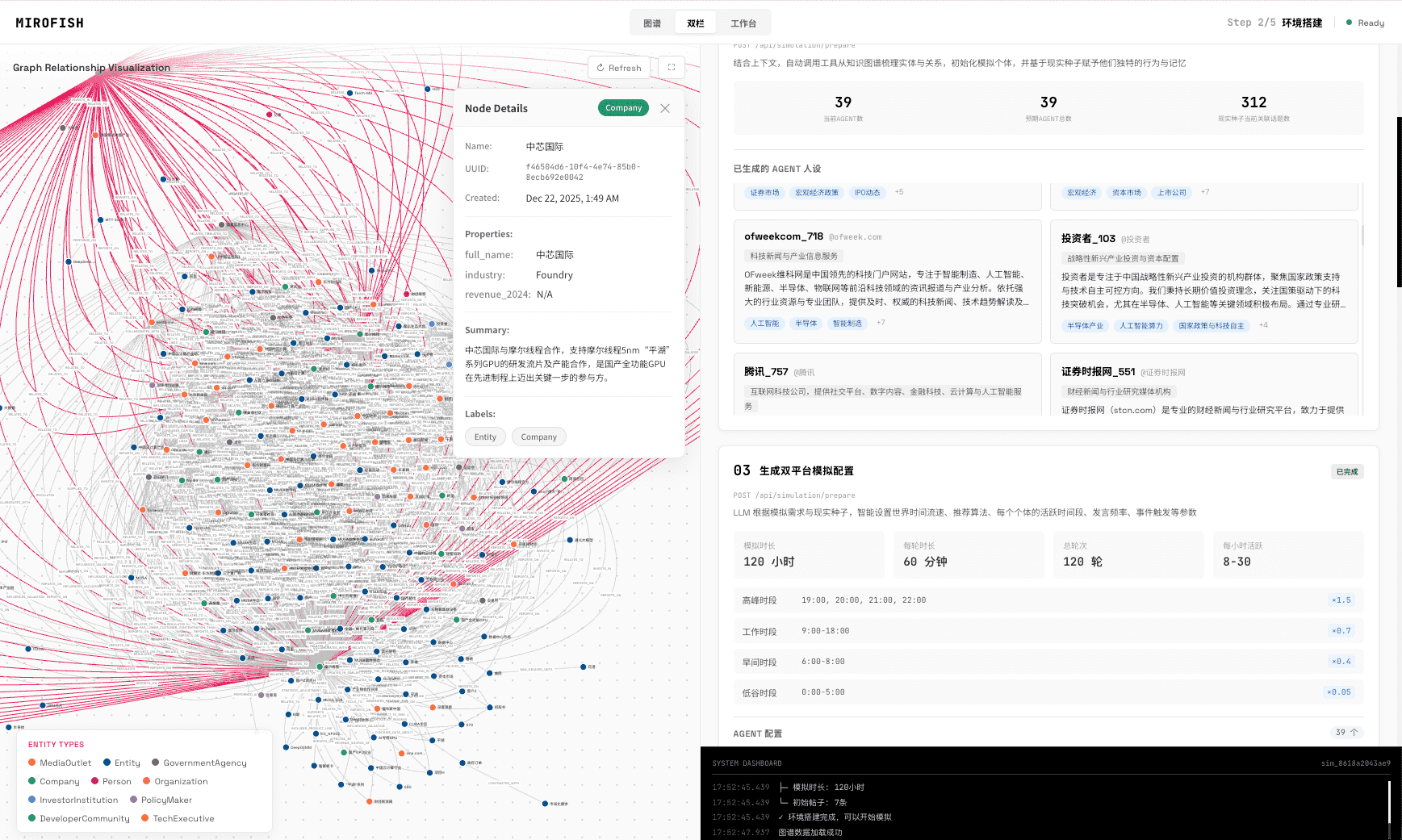
To run multi-agent system simulation in MiroFish, define the decision, prepare a source packet, list the actors, inspect the graph, run simulation rounds, read the prediction report, and ask follow-up questions. The goal is to expose assumptions and validation tasks, not to claim a deterministic forecast or representative behavioral model.
Definition
What is multi-agent system simulation?
Multi-agent system simulation models how several actors or agents interact, influence one another, and produce system-level outcomes.
In MiroFish, the agents are qualitative actors grounded in the source packet. They may represent buyers, competitors, regulators, media, employees, executives, communities, or other stakeholders relevant to a decision.
Workflow
How do you run multi-agent system simulation in MiroFish?
Use a five-step workflow: define the decision, prepare sources, review the graph, run reactions, and question the report.
- 1
Define the system boundary
State the decision, market, policy, launch, or event the actors are reacting to.
- 2
Prepare the source packet
Upload evidence that constrains the actors, context, incentives, conflicts, and timing.
- 3
Inspect the actor graph
Review relationships, missing actors, unsupported claims, and pressure points.
- 4
Run reaction rounds
Let actor responses influence later responses so second-order paths become visible.
- 5
Interrogate the report
Ask follow-up questions about weak evidence, actor assumptions, and next validation steps.
Inputs
What inputs make the simulation more useful?
Useful inputs name the actors, their goals, constraints, evidence, known disagreements, and the real decision that will be made after review.
- A clear decision memo or scenario prompt.
- Existing customer, stakeholder, competitor, market, policy, or product evidence.
- Actor roles, incentives, constraints, and likely information gaps.
- Known disagreements inside the team that the simulation should expose.
- A validation plan for claims that matter outside the simulation.
Limits
What should teams not do with the output?
Do not treat the output as observed behavior, population evidence, statistical measurement, autonomous agent proof, or a guaranteed future path.
The report is most useful when it changes what the team investigates next. It should not become a substitute for research, experiments, expert review, or accountable decision-making.
Simulation is not a representative survey or a deterministic forecast.
MiroFish output is designed for hypothesis generation, scenario stress testing, and research preparation. Do not present generated actors, dialogue, percentages, or reaction paths as observations from real customers or a statistically representative population.
Wake-up zone
What are the key takeaways?
- Multi-agent system simulation is useful when interaction matters.
- MiroFish grounds simulation in source packets and actor graphs.
- Follow-up questions are part of the workflow, not an afterthought.
- The report should become a validation checklist.
Frequently asked questions
What should teams know before using this method?
Is MiroFish agent-based modeling software?
MiroFish can support qualitative agent-based decision rehearsal, but it is not a programmable ABM framework for calibrated mathematical simulation, code-based model building, or formal sensitivity analysis.
What should teams upload for agent simulation?
Upload a focused source packet: the decision, context, actor list, known constraints, evidence, assumptions, prior research, market notes, and the question the team needs to review.
What does the actor graph add?
The graph makes actors, relationships, conflicts, knowledge, and influence paths visible before the report becomes persuasive, so weak assumptions are easier to challenge.
Can AI agents predict real behavior?
No. AI agents can rehearse plausible reactions and expose assumptions, but real behavior requires validation through people, data, experiments, or accountable domain review.
Primary research to review
Multi-agent system simulation
Turn a complex decision into an inspectable actor system.
Use MiroFish to review actors, relationships, reaction paths, reports, and validation questions.
Run system simulationContinue the cluster
Agent-Based Simulation Software
Simulate actor incentives, constraints, relationships, and reaction rounds before committing to a decision.
Multi-Agent System Simulation
Inspect how multiple AI actors may influence one another across a shared scenario and report workflow.
Agent-Based Modeling vs Multi-Agent Simulation
Compare traditional ABM, multi-agent systems, LLM simulation, and where MiroFish fits.