
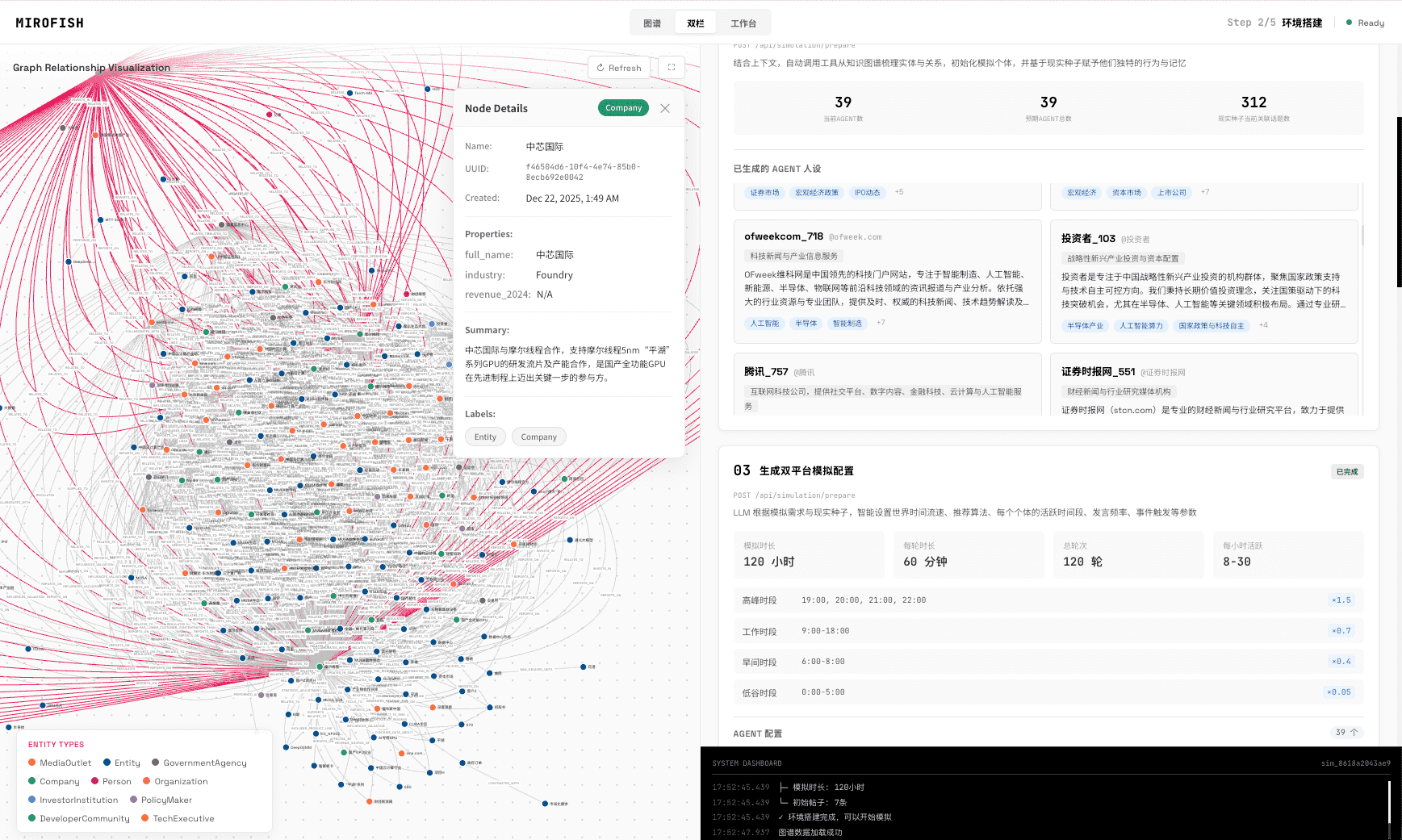
Scenario planning tools include workshop canvases, spreadsheets, forecasting models, strategy software, and AI simulation tools. MiroFish fits the AI simulation category: teams upload source material, inspect a scenario graph, run reaction rounds, read a prediction report, and ask follow-up questions. It is useful for decision rehearsal, not for deterministic forecasts or statistical measurement.
Tool types
What types of scenario planning tools exist?
Scenario planning tools range from workshop templates and spreadsheets to forecasting systems, strategy platforms, and AI simulation tools that model actor reactions.
A workshop tool is useful when alignment and shared language are the main goal. A spreadsheet is useful when the scenario is mostly numeric. An AI simulation tool is useful when actors, relationships, narratives, constraints, and follow-up questions shape the decision.
Comparison
How should teams compare scenario planning tools?
Compare tools by input type, output, uncertainty model, reviewability, and whether the decision depends on numbers, actors, or both.
| Tool type | Best use | Main limitation |
|---|---|---|
| Workshop canvas | Shared assumptions and strategic discussion | Can stay subjective without evidence |
| Spreadsheet model | Financial, capacity, or sensitivity analysis | Weak for actor reaction and narrative spread |
| Forecast model | Numeric baseline and trend projection | Often hides qualitative assumptions |
| AI simulation | Actor reactions, graph memory, reports, follow-up questions | Requires human validation and source review |
MiroFish fit
Where does MiroFish fit among scenario planning tools?
MiroFish fits when a team needs to rehearse how actors may interpret and respond to a decision using an inspectable graph and report workflow.
- Upload a source packet that defines the decision, context, actors, evidence, and constraints.
- Inspect the graph for missing actors, weak relationships, and unsupported assumptions.
- Run simulation rounds so reactions can compound instead of remaining one-shot answers.
- Review the prediction report and ask follow-up questions before deciding what to validate.
Boundary
What should scenario planning tools not claim?
They should not claim certainty. MiroFish should be treated as scenario rehearsal, not a deterministic forecast, representative survey, or financial model replacement.
A useful tool makes uncertainty easier to inspect. It does not make uncertainty disappear. The final output should become a validation plan, decision memo, or set of real-world checks.
Simulation is not a representative survey or a deterministic forecast.
MiroFish output is designed for hypothesis generation, scenario stress testing, and research preparation. Do not present generated actors, dialogue, percentages, or reaction paths as observations from real customers or a statistically representative population.
Wake-up zone
What are the key takeaways?
- Different scenario planning tools solve different jobs.
- MiroFish is strongest when actor reactions and assumptions matter.
- The graph and report make scenario reasoning easier to review.
- High-stakes decisions still require real evidence and accountable judgment.
Frequently asked questions
What should teams know before using this method?
Can MiroFish replace scenario planning workshops?
No. MiroFish can prepare and stress-test scenario thinking by turning source material into a graph, simulation rounds, a report, and follow-up questions, but accountable planning remains human.
What should teams upload before scenario analysis?
Use a focused source packet: decision memo, market context, product or policy brief, competitor evidence, stakeholder notes, constraints, assumptions, and the question to test.
What does the graph add to scenario analysis?
The graph makes actors, relationships, knowledge, constraints, and pressure points visible before the report becomes persuasive, so teams can review assumptions earlier.
How should teams use follow-up questions?
Use follow-up questions to inspect why the report reached a conclusion, which actors matter, what evidence is weak, and which real-world checks should come next.
Primary research to review
Scenario planning software
Turn a decision packet into an inspectable scenario.
Use MiroFish to build a graph, run simulation rounds, read the report, and ask follow-up questions.
Run a scenario simulationContinue the cluster
Scenario Planning Software
Use MiroFish to turn source material into a graph, simulation rounds, prediction report, and follow-up questions.
Scenario Analysis Tool
Compare strategic scenarios through evidence-grounded actors, assumptions, reaction paths, and review tasks.
What-If Scenario Analysis AI
Run bounded what-if scenario variants and inspect what changes in the graph, report, and assumptions.