
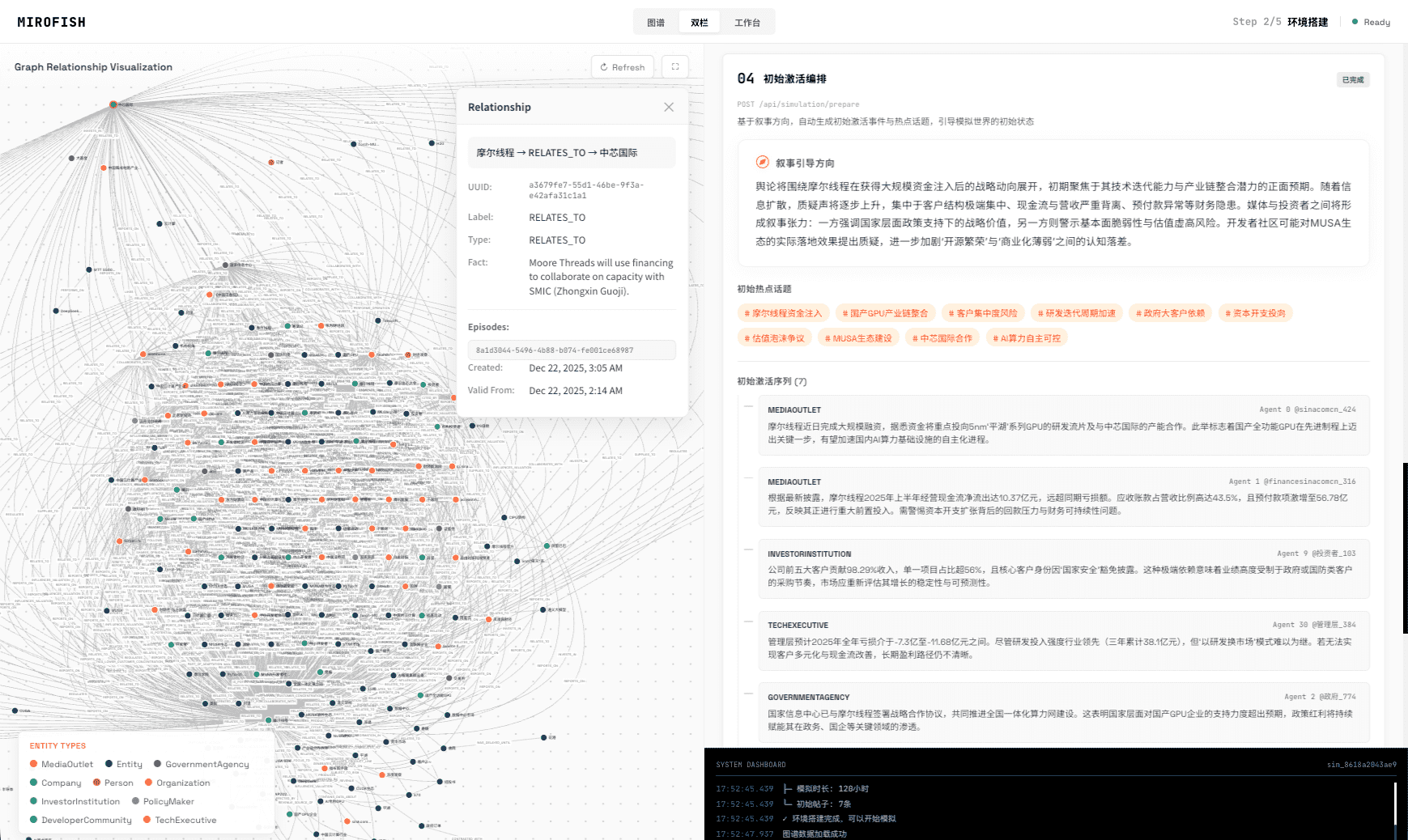
To do scenario analysis with AI, start with one bounded decision and a source packet, then generate or review the actor graph, run simulation rounds, read the prediction report, ask follow-up questions, and convert unresolved claims into validation tasks. MiroFish supports that workflow as decision rehearsal, not as a deterministic forecast or spreadsheet model.
Definition
What is AI scenario analysis?
AI scenario analysis uses a model and source packet to rehearse how a bounded decision may evolve across actors, assumptions, constraints, and reaction rounds.
The useful output is not a single answer. It is an inspectable path: which actors matter, which assumptions drove the report, what changed across variants, and what evidence would alter the decision.
Workflow
How do you do scenario analysis with AI?
Use a disciplined sequence: frame the decision, prepare sources, inspect the graph, run scenarios, review the report, ask follow-up questions, and validate.
- 1
Frame one decision
Name the event, time horizon, actors, constraints, and decision that the scenario should inform.
- 2
Build the source packet
Upload the evidence, assumptions, market context, stakeholder notes, and known gaps.
- 3
Inspect the graph
Review actors, relationships, knowledge, conflicts, and missing nodes before trusting the report.
- 4
Run simulation rounds
Let actors react over time so second-order effects can appear.
- 5
Question the report
Ask follow-up questions about assumptions, winners, risks, evidence gaps, and alternative paths.
Inputs
What source material improves AI scenario analysis?
Use material that defines the decision context, actor incentives, constraints, evidence, disagreement, and what would count as a useful result.
- Decision memo, product brief, policy proposal, launch plan, market entry note, or pricing change.
- Competitor evidence, stakeholder notes, public signals, internal assumptions, known constraints, and timeline.
- Questions the report must answer and claims the team is not allowed to treat as proven.
Review
How should teams review an AI scenario report?
Teams should trace conclusions to sources, inspect the graph, compare variants, challenge unsupported claims, and turn uncertainty into validation tasks.
| Report element | Useful review question | Do not claim |
|---|---|---|
| Predicted outcome | Which actor path makes this plausible? | This will definitely happen |
| Graph relationship | Is this relation grounded in the source packet? | The relationship is a verified fact |
| Follow-up answer | What evidence would confirm or reject this? | The model has validated the claim |
| Scenario variant | What changed and why? | The variant has a measured probability |
Simulation is not a representative survey or a deterministic forecast.
MiroFish output is designed for hypothesis generation, scenario stress testing, and research preparation. Do not present generated actors, dialogue, percentages, or reaction paths as observations from real customers or a statistically representative population.
Wake-up zone
What are the key takeaways?
- AI scenario analysis should start with one bounded decision.
- The graph review is a quality gate, not decoration.
- Follow-up questions are part of the analysis workflow.
- Scenario output should become validation work.
Frequently asked questions
What should teams know before using this method?
Can MiroFish replace scenario planning workshops?
No. MiroFish can prepare and stress-test scenario thinking by turning source material into a graph, simulation rounds, a report, and follow-up questions, but accountable planning remains human.
What should teams upload before scenario analysis?
Use a focused source packet: decision memo, market context, product or policy brief, competitor evidence, stakeholder notes, constraints, assumptions, and the question to test.
What does the graph add to scenario analysis?
The graph makes actors, relationships, knowledge, constraints, and pressure points visible before the report becomes persuasive, so teams can review assumptions earlier.
How should teams use follow-up questions?
Use follow-up questions to inspect why the report reached a conclusion, which actors matter, what evidence is weak, and which real-world checks should come next.
Primary research to review
Run scenario analysis
Start with a source packet and inspect the path.
Use MiroFish to build a graph, run scenario rounds, read the report, and question the assumptions.
Start AI scenario analysisContinue the cluster
Scenario Analysis Tool
Compare strategic scenarios through evidence-grounded actors, assumptions, reaction paths, and review tasks.
What-If Scenario Analysis AI
Run bounded what-if scenario variants and inspect what changes in the graph, report, and assumptions.
What-If Scenario Analysis Examples
See examples for pricing, launch, market entry, policy, public reaction, and competitive response scenarios.