
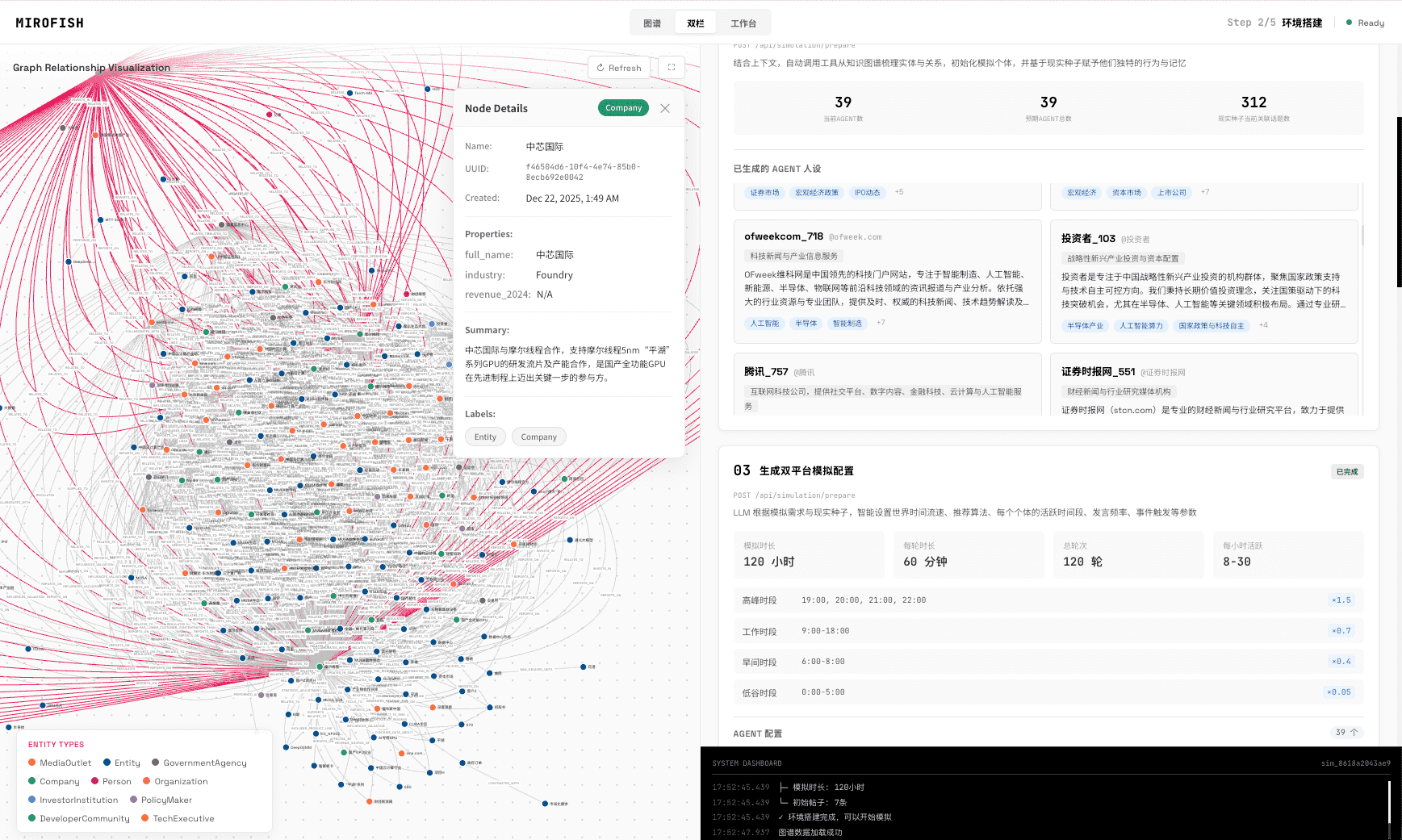
Customer touchpoint analysis examines where customers encounter the product, message, sales process, support team, onboarding flow, renewal path, or cancellation moment. In MiroFish, teams upload source material, map touchpoints, inspect pain points, read a report, and ask follow-up questions. The result should guide validation, not replace analytics or observed customer behavior.
Definition
What is customer touchpoint analysis?
Customer touchpoint analysis studies the moments where customers interact with a brand, product, message, channel, support path, or renewal process.
Touchpoints matter because journey friction rarely appears in one place. A weak promise in discovery can create confusion in onboarding; a support delay can change renewal; a pricing objection can reshape the sales conversation.
Workflow
How do you analyze customer touchpoints with MiroFish?
Use source material to map touchpoints, identify pain points, read the report, and convert weak claims into validation tasks.
- 1
List the touchpoints
Define the website, ads, emails, demos, trial, purchase, onboarding, support, renewal, and cancellation moments.
- 2
Attach evidence
Connect each touchpoint to interviews, CRM notes, tickets, reviews, analytics summaries, or session replay notes.
- 3
Inspect friction
Look for proof gaps, expectation mismatch, unclear ownership, emotional risk, delays, and handoff problems.
- 4
Read the report
Review the likely pain points, motivation shifts, and evidence gaps across the journey.
- 5
Validate the next action
Choose interviews, analytics cuts, CRM review, support analysis, survey questions, or experiments.
Examples
Which touchpoints should teams review first?
Start with touchpoints closest to conversion, activation, renewal, escalation, or churn because mistakes there are expensive.
| Touchpoint | Evidence to upload | Likely validation |
|---|---|---|
| Product discovery | Ad, landing page, search query, review, referral source | Message test, analytics segment, interview question |
| Sales evaluation | Demo notes, CRM stage, competitor comparison, objection log | Win-loss review, buyer interview, proof audit |
| Onboarding | Activation data, support tickets, CS notes, help docs | Session replay, cohort analysis, onboarding interview |
| Support | Tickets, chat logs, escalation notes, refund reasons | Ticket taxonomy, QA review, policy update test |
| Renewal or churn | Renewal notes, cancellation reasons, NPS, usage summaries | Retention analysis, churn interview, save-offer test |
Limits
What can touchpoint analysis not prove by itself?
It cannot prove conversion lift, satisfaction change, retention impact, or real behavior unless the claim is validated with external customer evidence.
The simulation can prioritize which touchpoint to investigate. The business result still depends on real data, customer feedback, operational changes, and measurement after launch.
Simulation is not a representative survey or a deterministic forecast.
MiroFish output is designed for hypothesis generation, scenario stress testing, and research preparation. Do not present generated actors, dialogue, percentages, or reaction paths as observations from real customers or a statistically representative population.
Wake-up zone
What are the key takeaways?
- Touchpoint analysis connects journey moments to evidence.
- MiroFish helps prioritize pain points and validation tasks.
- The report should not replace analytics, interviews, CRM, or support data.
- Start with touchpoints closest to conversion, activation, renewal, escalation, or churn.
Frequently asked questions
What should teams know before using this method?
Is MiroFish a customer journey mapping tool?
MiroFish supports the research and validation layer behind customer journey mapping. It can organize source material into stages, touchpoints, pain points, reports, and validation questions, but it is not a drag-and-drop diagramming tool.
What should teams upload for customer journey mapping?
Upload interviews, survey answers, support tickets, reviews, CRM notes, website behavior summaries, sales calls, onboarding notes, churn reasons, and the journey hypothesis to review.
Can MiroFish replace journey analytics?
No. MiroFish can synthesize uploaded evidence and plan validation, but real journey analytics still requires current behavioral data, instrumentation, dashboards, and human interpretation.
What does the report help decide?
The report should identify likely friction points, weak assumptions, missing evidence, touchpoints to investigate, and questions for interviews, analytics, CRM review, or experiments.
Primary research to review
Touchpoint analysis
Find the journey moment that needs real validation.
Use MiroFish to connect customer evidence, touchpoints, pain points, reports, and follow-up questions.
Analyze touchpointsContinue the cluster
Customer Journey Analysis Tool
Analyze customer journey evidence, touchpoint friction, motivation shifts, and research gaps before acting.
AI Customer Journey Mapping
Map customer journeys with AI while keeping real evidence, assumptions, and validation tasks visible.
Customer Journey Map Generator vs Research Tool
Compare fast journey map generators with research workflows that validate touchpoints and pain points.